This morning, I had to use MXLoader to load a few thousand location records into Maximo. The data provided by the process engineer needed to be reshaped into MXLoader’s format. A large number of records were not in the order required by Maximo, the parent records must be uploaded before their children.
The last time I did this, it took me about three hours to manually sort everything out.
This time, I decided to write a Python script to do the sorting for me. I expected to spend about two hours on it, including writing the code and testing. When I opened VS Code, I remembered I still had an active Copilot subscription that I hadn’t used for almost a year. So, I thought, why not give it a go?
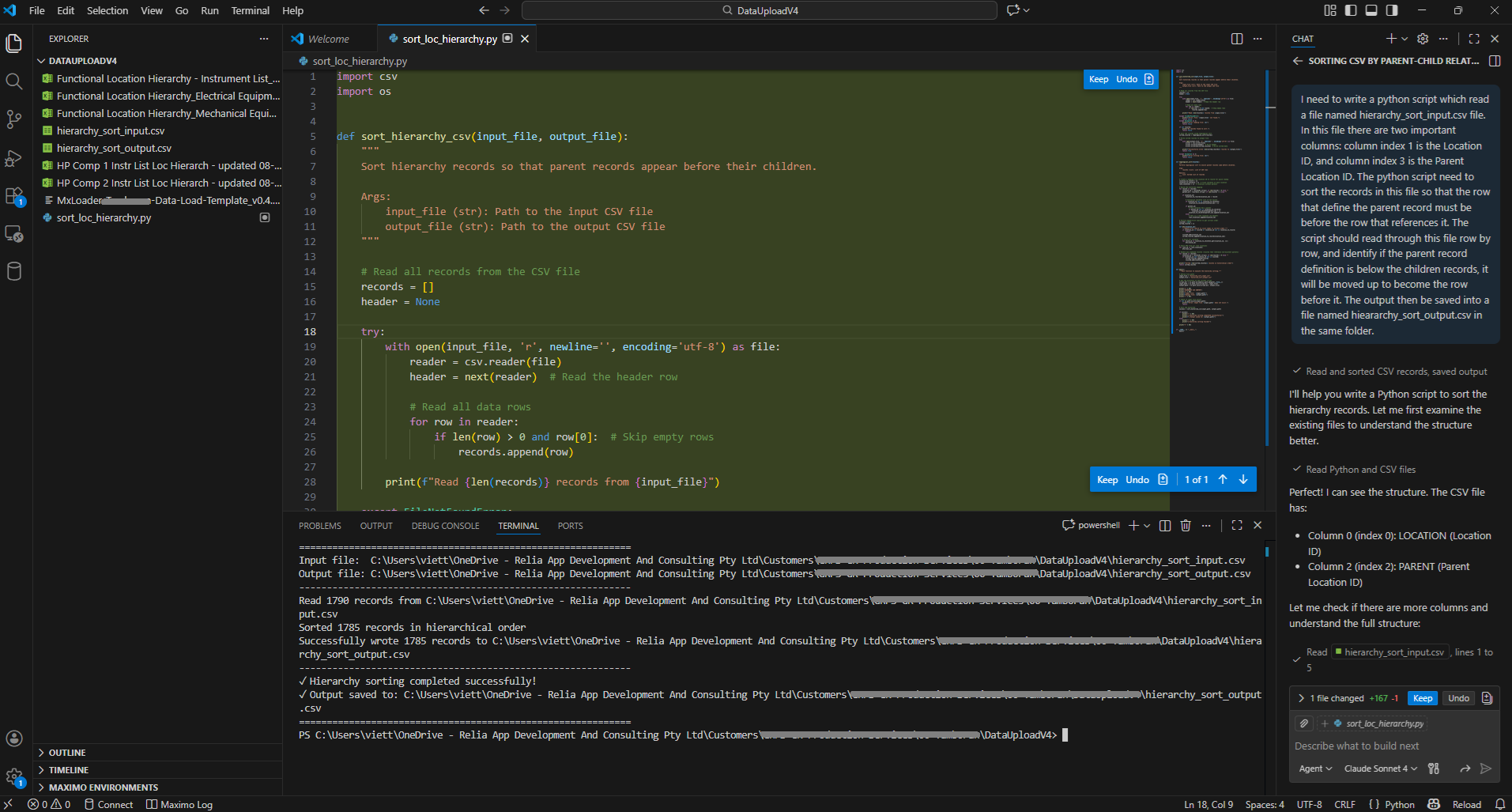
I described the data in my CSV file, explained what I wanted to achieve, and told it I needed a script to sort the data and save the output to a file, then pressed Enter. It analysed the input files, realised that what I described wasn’t 100% accurate, wrote the code, executed it, and then even read the output file to confirm the data was correct.
I validated the result and everything looked good. All I had to do next was load it into MXLoader and push it into Maximo. Crazy.
So, who is the casualty of this AI apocalypse? Whose job will be lost? I guess… it’s me. Previously, I could charge my customer three hours. Now, I can only charge them 15 minutes. 😭
By the way, if you need to do the same, I attached the code it generated at the end of this article.
I often end my blog posts with “Happy coding!”. But I guess today, no coding for us. So… “have fun!”
P.S.: Maximo doesn’t allow locations to be “moved.” Often, when uploading a new maintenance data build, there are updates to the location hierarchy, and MXLoader may complain about this. In that case, we can delete the existing parent–child relationship data and reload the hierarchy.